Joomla to WordPress migration plugin

What This Plugin Does

Migrating from Joomla to WordPress can be stressful, especially when you have years of data, users, and product records.

Our plugin takes that pain away with a guided, secure, and complete migration process. No coding required.

Key Features

We use a well-structured process that makes your migration smooth and stress-free:

Database Connection Testing

User Migration with Same Password

Article Migration & Elementor Integration

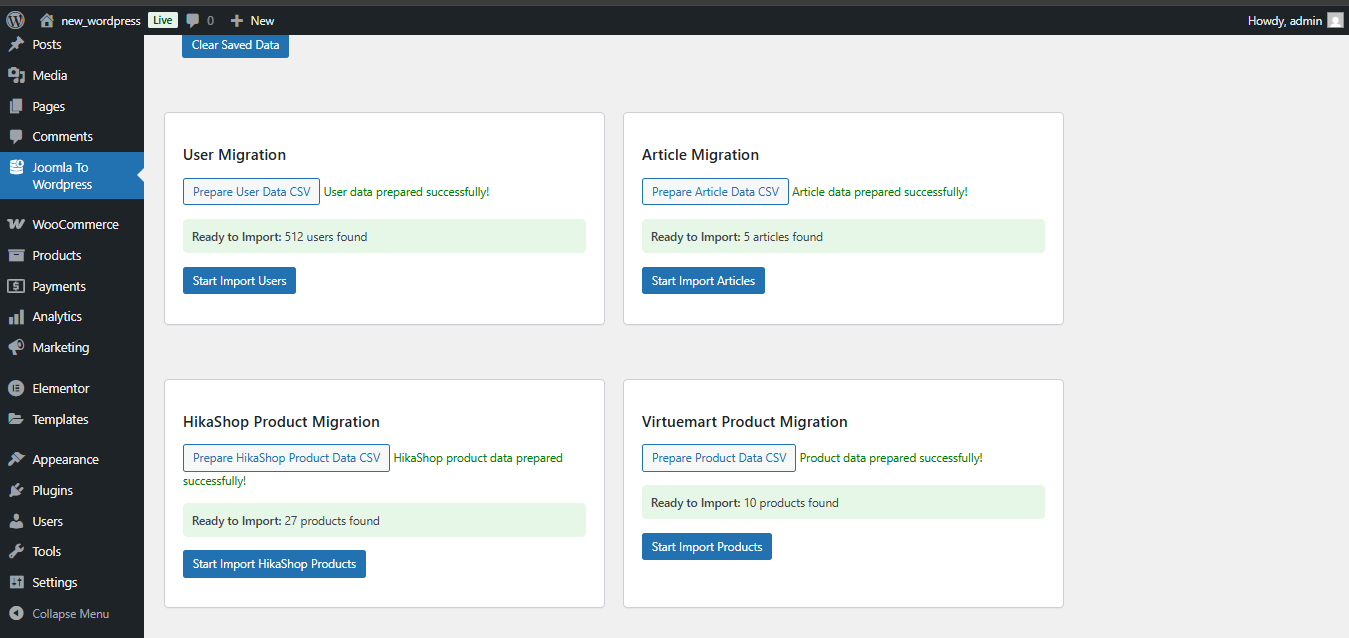
VirtueMart to WooCommerce

HikaShop to WooCommerce

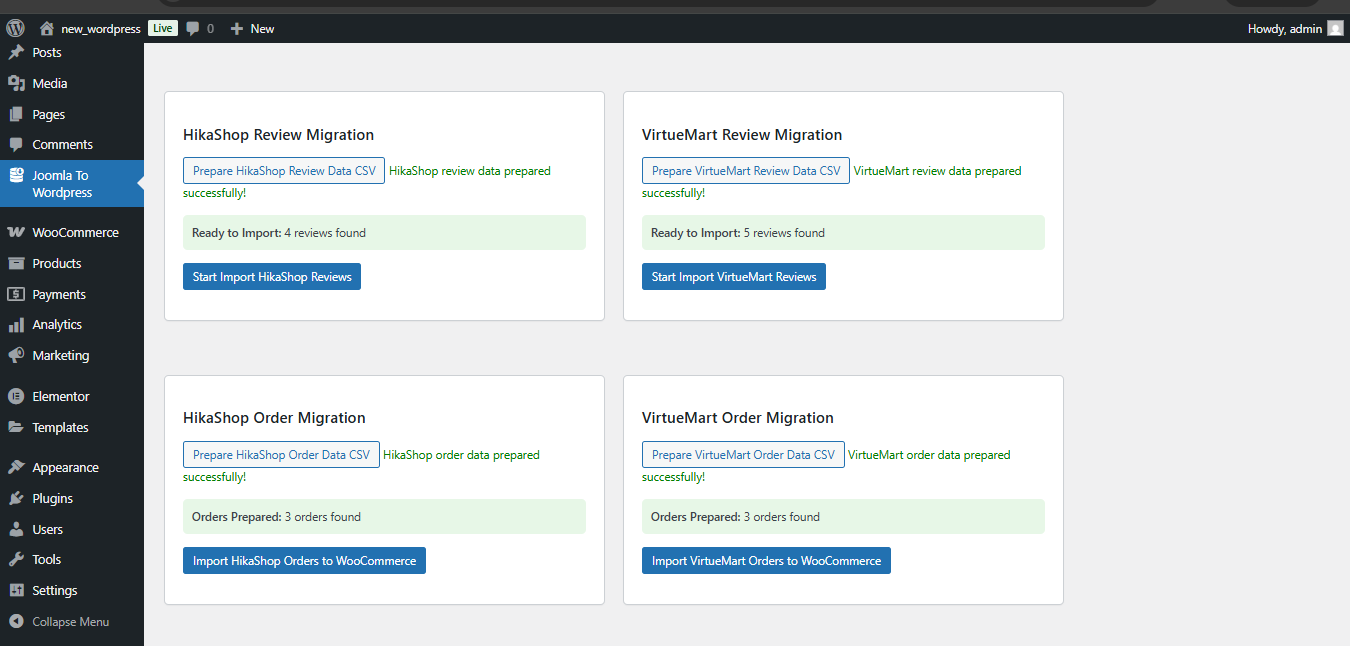
Review & Order Migration

Progress Tracking

Error Logging

Effortless Joomla to WordPress Transfer with Our Plugin

Easily migrate your Joomla website to WordPress quickly, safely, and without losing any content.

How It Works J2W Migration Plugin

Follow a simple, step-by-step process to migrate your Joomla site to WordPress with accuracy and ease.

1. Install the Plugin

Install and activate the Joomla To WP Migration plugin on your WordPress site.

2. Connect to Joomla

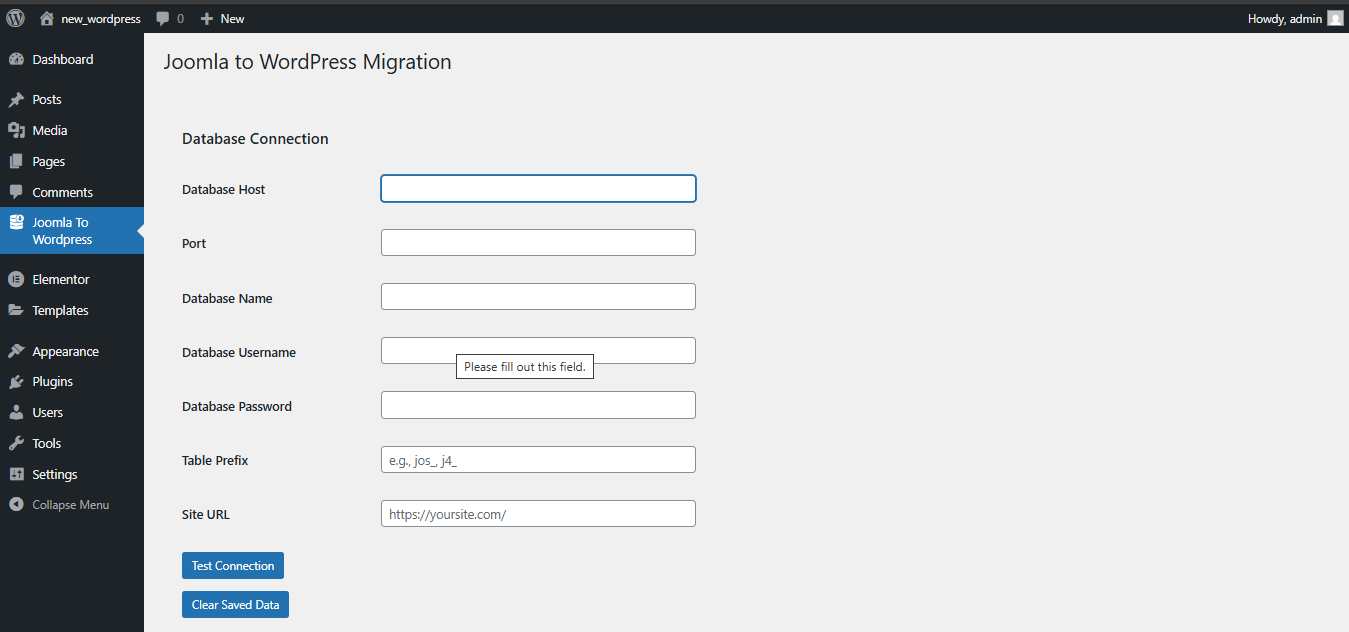
Enter your Joomla database details and test the connection to ensure everything is working.

3. Select Data to Migrate

Choose which data you want to move, such as users, articles, products, or orders.

4. Migrate and Verify

Start the migration and carefully review and verify your WordPress site content.

How It Works J2W Migration Plugin

Follow a simple, step-by-step process to migrate your Joomla site to WordPress with accuracy and ease.

1. Install the Plugin

Install and activate the Joomla To WP Migration plugin on your WordPress site.

2. Connect to Joomla

Enter your Joomla database details and test the connection to ensure everything is working.

3. Select Data to Migrate

Choose which data you want to move, such as users, articles, products, or orders.

4. Migrate and Verify

Start the migration and carefully review and verify your WordPress site content.

Frequently Asked Questions

Do I need direct database access?

Yes, you need MySQL database connection details (host, username, password, database name) for your Joomla site.

Are images migrated automatically?

Yes, the plugin automatically downloads and imports images to your WordPress media library during the migration process.

Can I migrate specific data types only?

Yes, you can choose to migrate users, articles, products, reviews, or orders independently.

Are custom fields supported?

Yes, VirtueMart and HikaShop custom fields are migrated as WooCommerce product attributes and meta fields.

Will my site be down during migration?

No, your Joomla site remains fully operational as the migration happens in the background with no downtime.

Start Your Joomla to WordPress Migration Today

Get the official J2W Migration Plugin from WordPress.org and migrate your Joomla site to WordPress quickly, safely, and with confidence.